What's new: the Content Studio is now a real course builder
Editable everything, eight course shapes, drag-and-drop, duplication, insert-in-the-middle and a true student preview. Plus the course-code bug that was blocking new instructors.
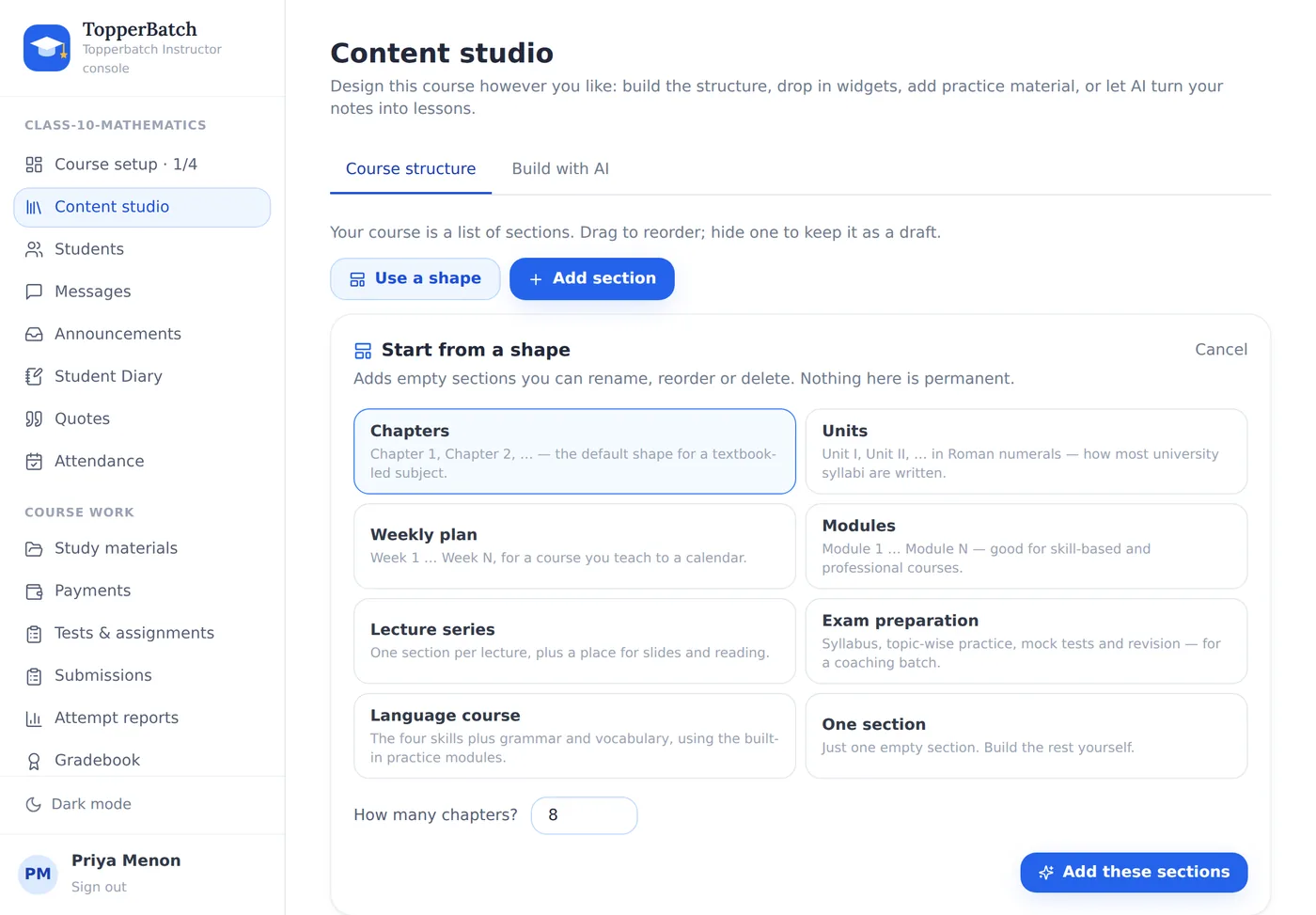
We rebuilt the course-building side of TopperBatch after too many instructors told us the same thing: they knew their subject, they just could not tell what the page wanted from them.
The blocker nobody could see
Course codes were unique across the entire platform. The first instructor to create MATH101 quietly locked that code away from everyone else, and the second one saw "A course with code MATH101 already exists. Pick a different code." — with no way to find out who had it or why.
Codes are now unique per instructor. Two teachers can both run a MATH101. Better still, the code is optional: type a title and we build one for you.
A new course no longer arrives full of somebody else's subject
Every new course used to be seeded with Listening, Speaking, Reading, Grammar and Word Bank. Wonderful for a language course; baffling if you teach chemistry, and five things to delete before you could start.
New courses now start empty and offer a shape instead.
Chapters, Units in Roman numerals, Weeks, Modules, a Lecture series, an Exam-preparation layout, the five language modules, or a single blank section. Pick one, say how many, and rename from there.
You can now fix things
The old widget editor let you change a title and a body. That is all. A mistyped URL or the wrong image could not be corrected — you had to delete the widget and build it again.
Now every field of every widget is editable, including the link and the attached file, which can be replaced or removed in place.
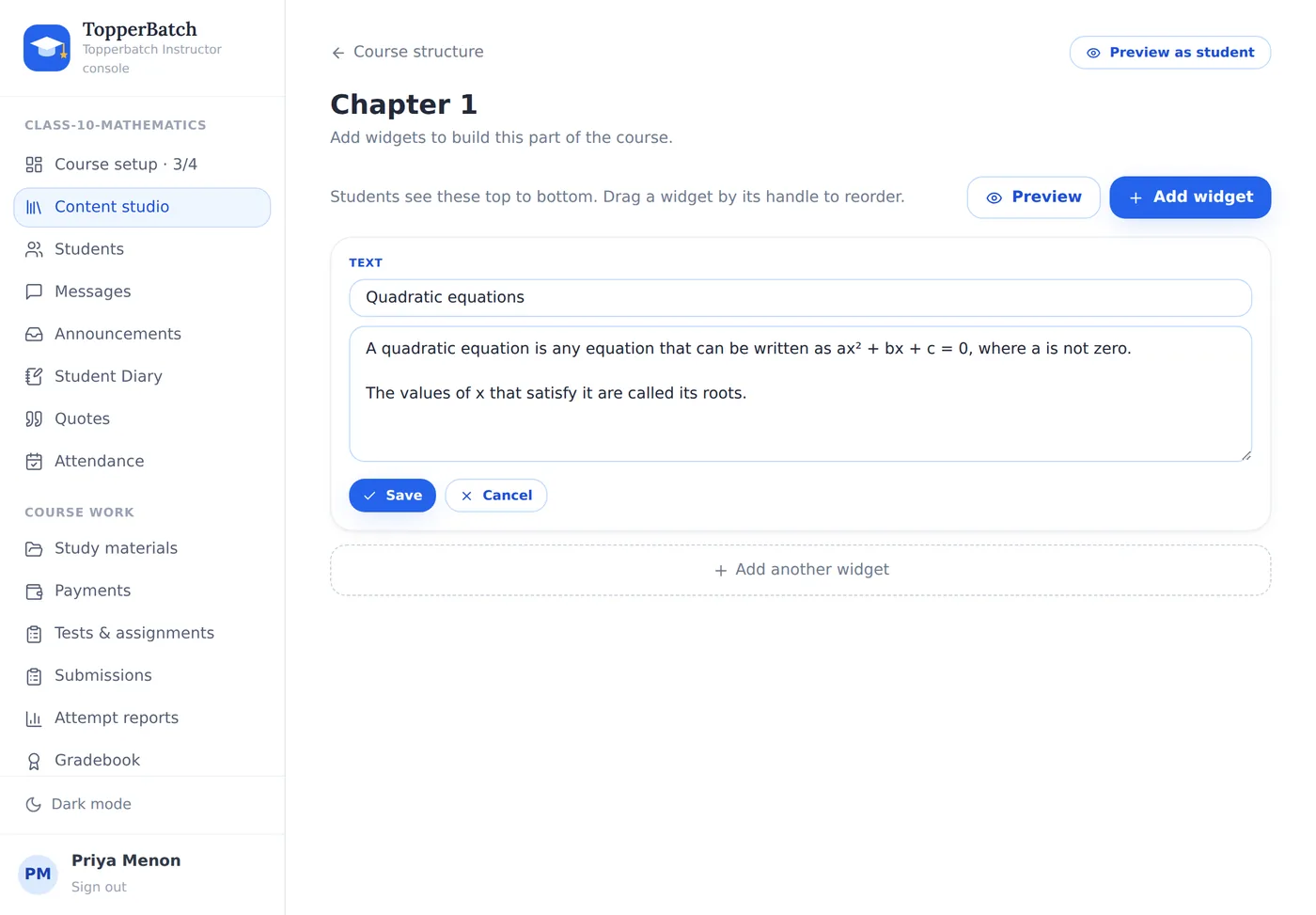
Along with it: duplicate a widget, jump one to the top or bottom, drag them into any order, and insert a new widget between two existing ones instead of only at the end.
Preview means preview
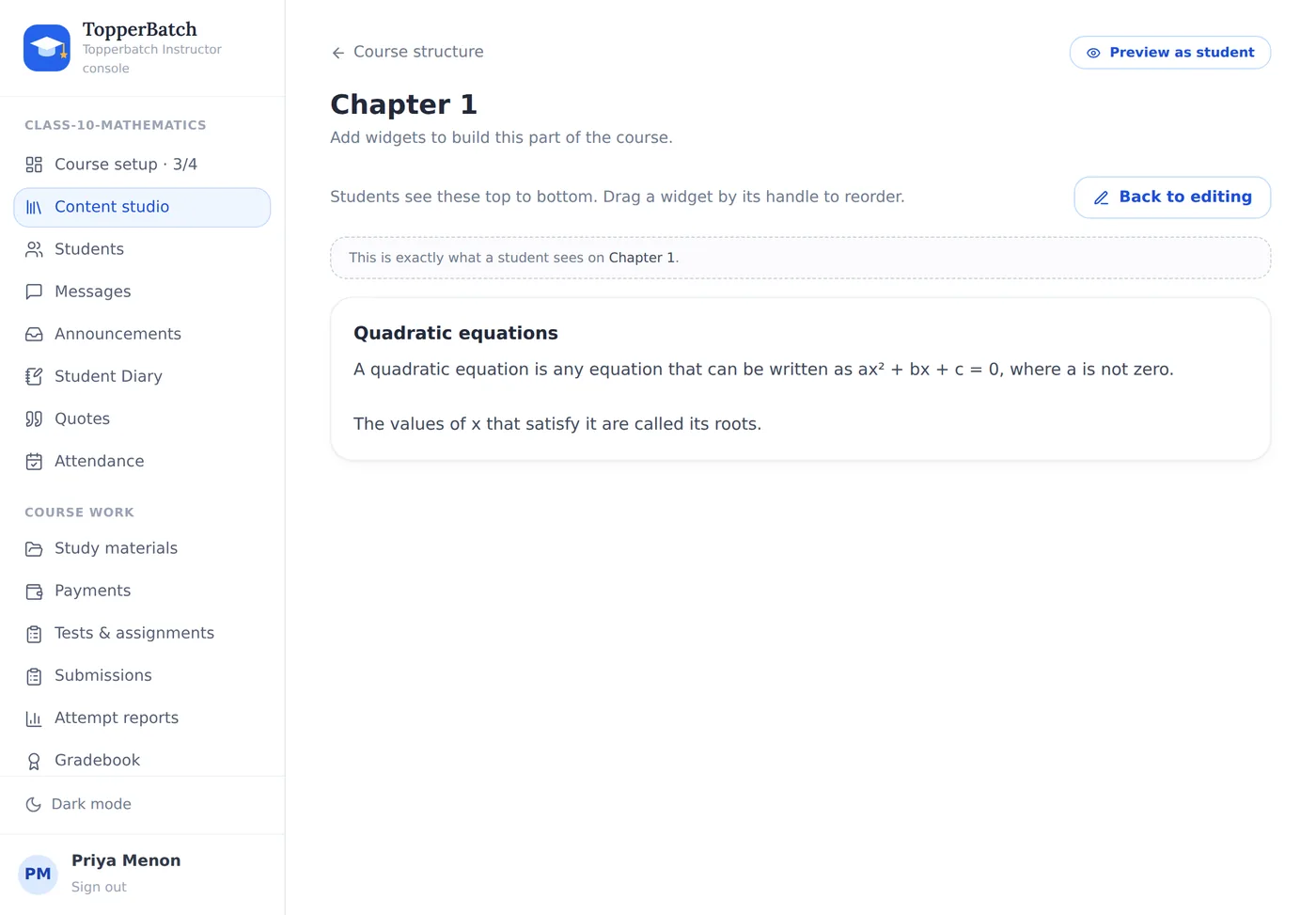
The Preview toggle renders the section using exactly the same component students see. Not a mock-up — the real thing.
Courses are editable too
There was previously no way to rename a course at all. A typo in the title was permanent; the only remedy was deleting the course and every student's work with it. Course setup → Course details now edits the title, code, term and description at any time.
A setup page that answers "what next?"
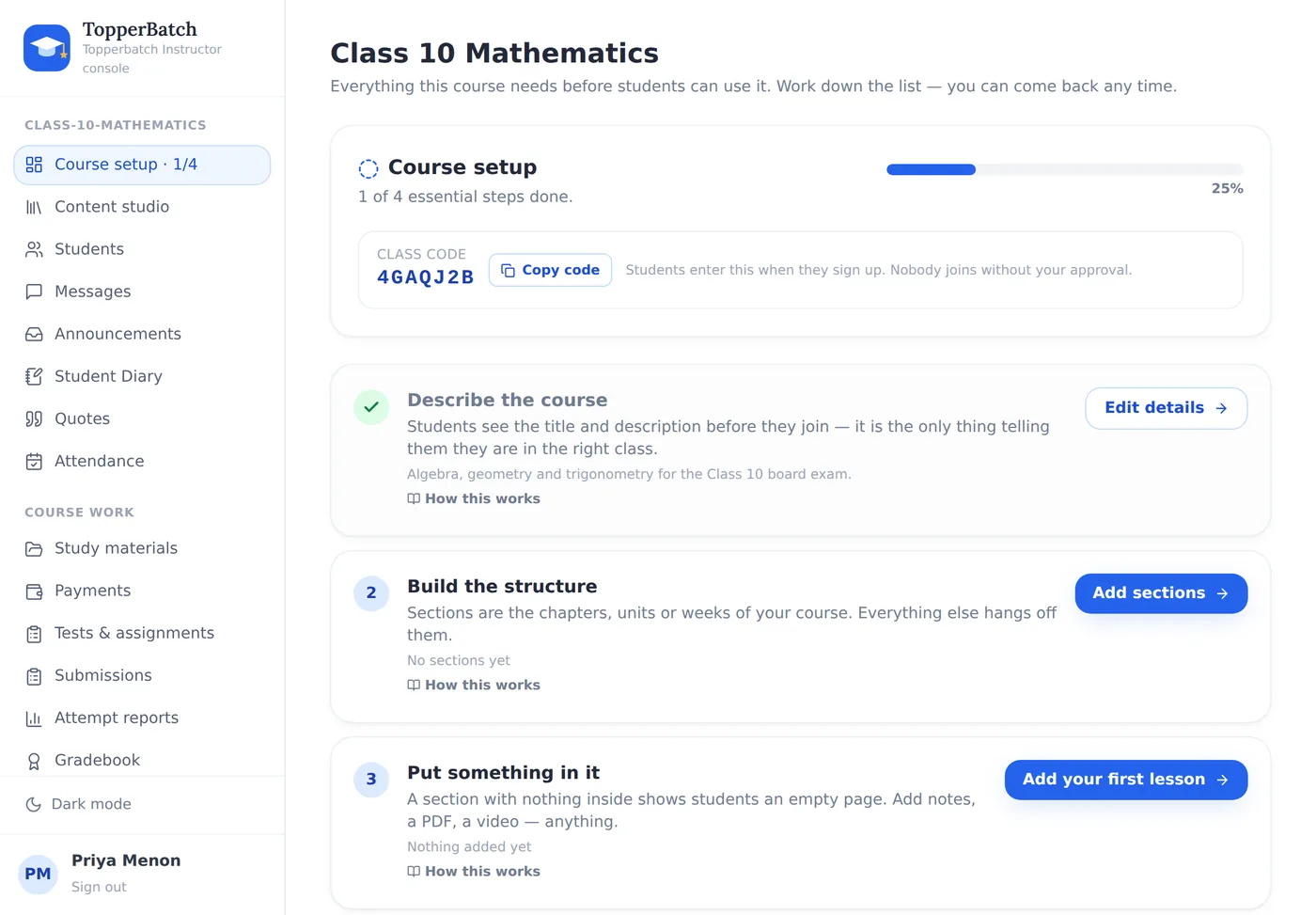
Four essential steps, two optional, live progress, your class code, and a link to the tutorial for each one. It is the first thing you see when you create a course and the first item in every course's sidebar.
And tutorials, in the app
Help & tutorials in the sidebar has step-by-step walkthroughs with real screenshots of the real interface. The screenshots are captured automatically from the running app, so they cannot drift out of date the way hand-drawn diagrams do.
Run your class the way you want to
Materials, assignments, attendance, grades and fees in one place, under your own brand.
Create your classroomKeep reading
How to run a coaching class without drowning in paperwork
Attendance registers, fee diaries, WhatsApp groups and photocopied worksheets. Here is how small institutes replace all of it with one system, without losing the personal touch.
Why your class needs its own space, not another WhatsApp group
Group chats are wonderful for conversation and terrible for coursework. A look at what breaks as your batch grows, and what to do instead.